Your transition resource · RealManage Hammersmith
Welcome to CiraNet.
The same trusted local management team. A better way to stay connected to your community.
We’re making it easier to access information, manage your community, and stay connected with your community association.
What’s changing
Same team. New software.
Your community is staying with RealManage Hammersmith, and you’re keeping the same management team. Only the software is changing: we’re moving to CiraNet.
Staying the same
Changing
Timeline
Know what’s coming next.
We’ll guide you through the transition to CiraNet, from setting up your new Resident Portal to updating your payment information. Here’s what you can expect.
Welcome letter
We’ll introduce CiraNet, explain what’s changing, and share important dates for your community.
Preparation
Register for your new Resident Portal when registration opens. Review your payment arrangements and prepare to make any necessary updates.
Your start date
Begin using your new Resident Portal to manage your account, make payments, and access community information.
Ongoing support
Access step-by-step guides, helpful videos, and support resources whenever you need them.
Your steps
Your next steps, made simple.
Four steps to get set up.
Didn’t get your welcome letter?
Email service@ciramail.com with your name, your address, and “RealManage Hammersmith,” and we’ll email you your account information.
Welcome letter
Your welcome letter will include important dates, your new account information, and instructions for getting started.
Activate when invited
Once registration opens, visit resident.ciranet.com (opens in a new tab) and select Register Now. Use the account information in your welcome letter to create your login.
Review and update your payment arrangements
Existing automatic payments will not transfer. You’ll need to set them up again, update your bank’s bill-pay information, or use the new mailing address for checks. See what to update.
Start using your new Resident Portal
Beginning on your community’s CiraNet start date, you can make payments, view your account, and access community information.
Payment changes
Review and update your payment arrangements.
Your existing payment arrangements will not automatically transfer to CiraNet. To avoid missed or delayed payments, please review the information below and take the steps that apply to you.
Important
Your community’s payment mailing address will change
Your community’s payment mailing address is changing. Beginning on your community’s CiraNet start date, please send payments to:
[Your community’s name]
PO Box 98217
Las Vegas, NV 89193-8217
If you currently use automatic payments (ACH)
You’ll need to enroll again through your new Resident Portal. We encourage you to take advantage of this convenient option to have your payments drafted automatically, without checks, stamps, or mailing delays.
If you use your bank’s online bill-pay service or mail checks
You’ll need to log in to your bank’s bill-pay service and update both your account number and the payment mailing address. Your bank will not make these changes automatically. Please discontinue using the previous payment address (PO Box 98142).
If you make one-time online payments
You can begin making payments through your new Resident Portal at resident.ciranet.com on your community’s CiraNet start date.
WELCOME
New to your community? Start here.
If you’re new to a RealManage community, we’ve put together a quick guide to help you get set up.

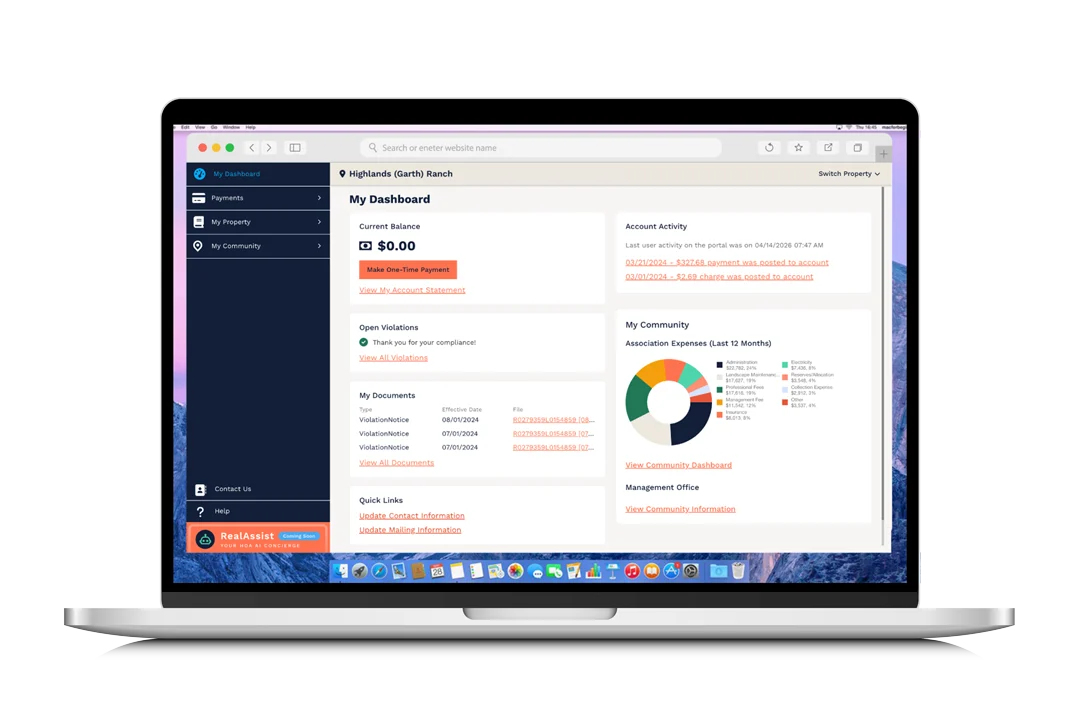
Explore CiraNet
Meet your new CiraNet experience.
Helpful tools, all in one place. You can log in after your community’s start date.
Pay assessments online
Make payments and check your account balance anytime.
Find community information
Access important documents, updates, and details about your community.
Submit requests and stay connected
Send requests and questions to your management team and track their progress.
How-to videos (2–3 min each)
Coming soon
Homeowner quick-start guide (PDF)
Coming soon
Help & FAQs
Questions? Start here.
Common questions by topic. We’ll add more as they come in.
Real people.
Ready to help.
Your management team is also available through the same channels you use today.